- first step
- connect corrupt pendrive in your pc
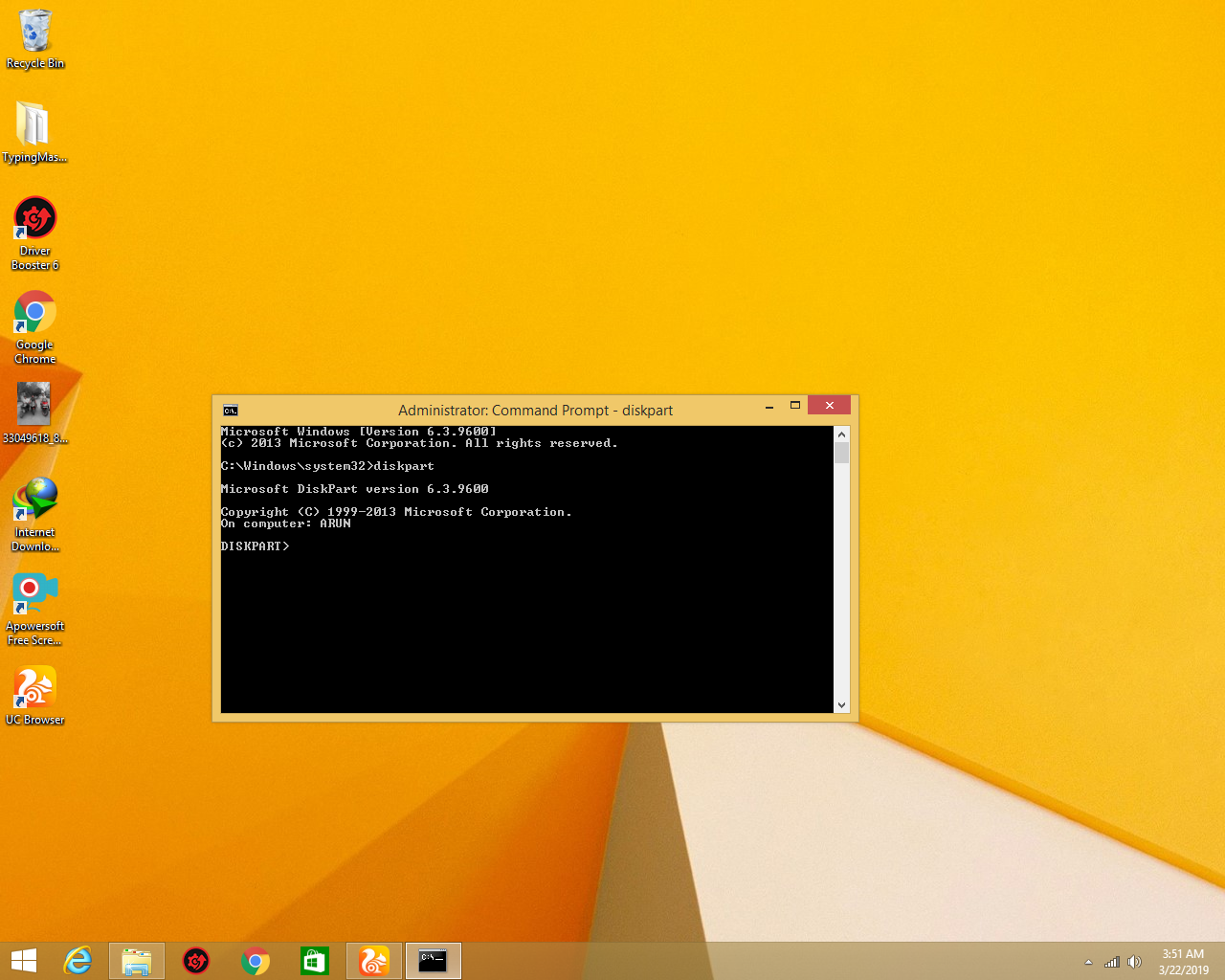
- open cmd with run administration and type diskpart and you will see this
- Second step
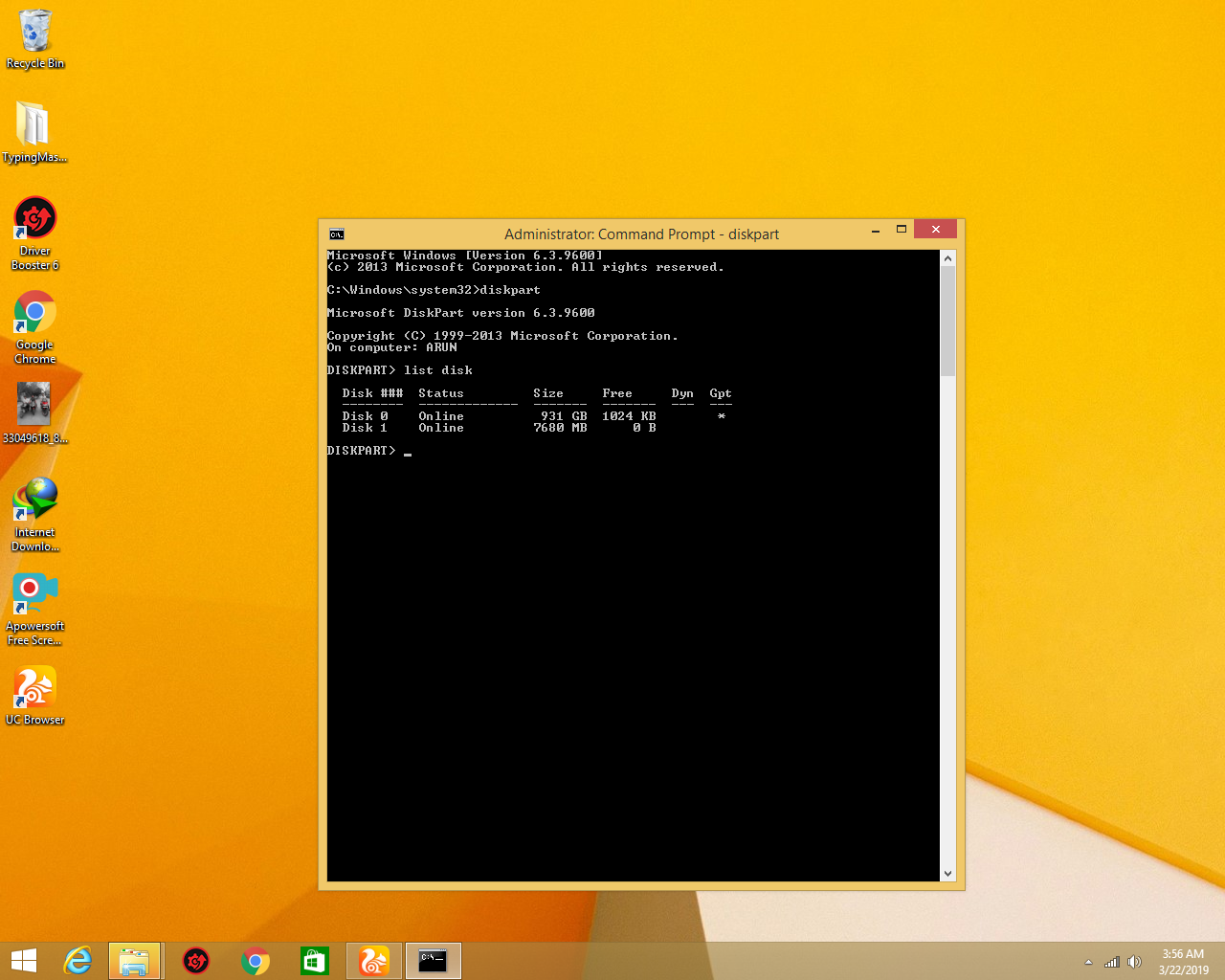
- type list disk you will see this
- Third step
- select disk my disk is 1 so I selected disk 1
- Fourth Step
- type select disk 1 you will see this

- Fivth step
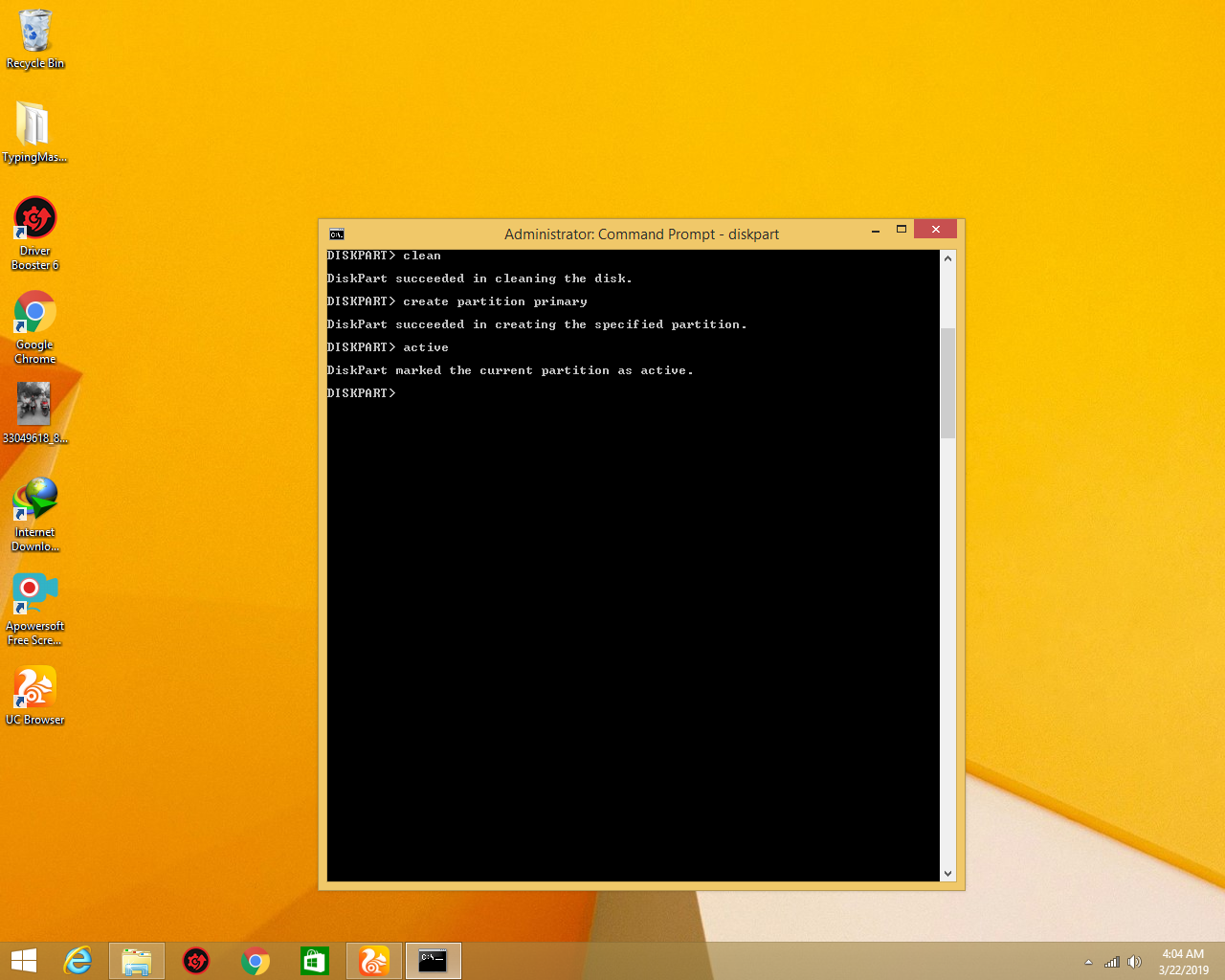
type clean you will see this

- Sixth Step
- type create partition primary you will see this

- seventh Step
- type active you will see this
- Eight Step
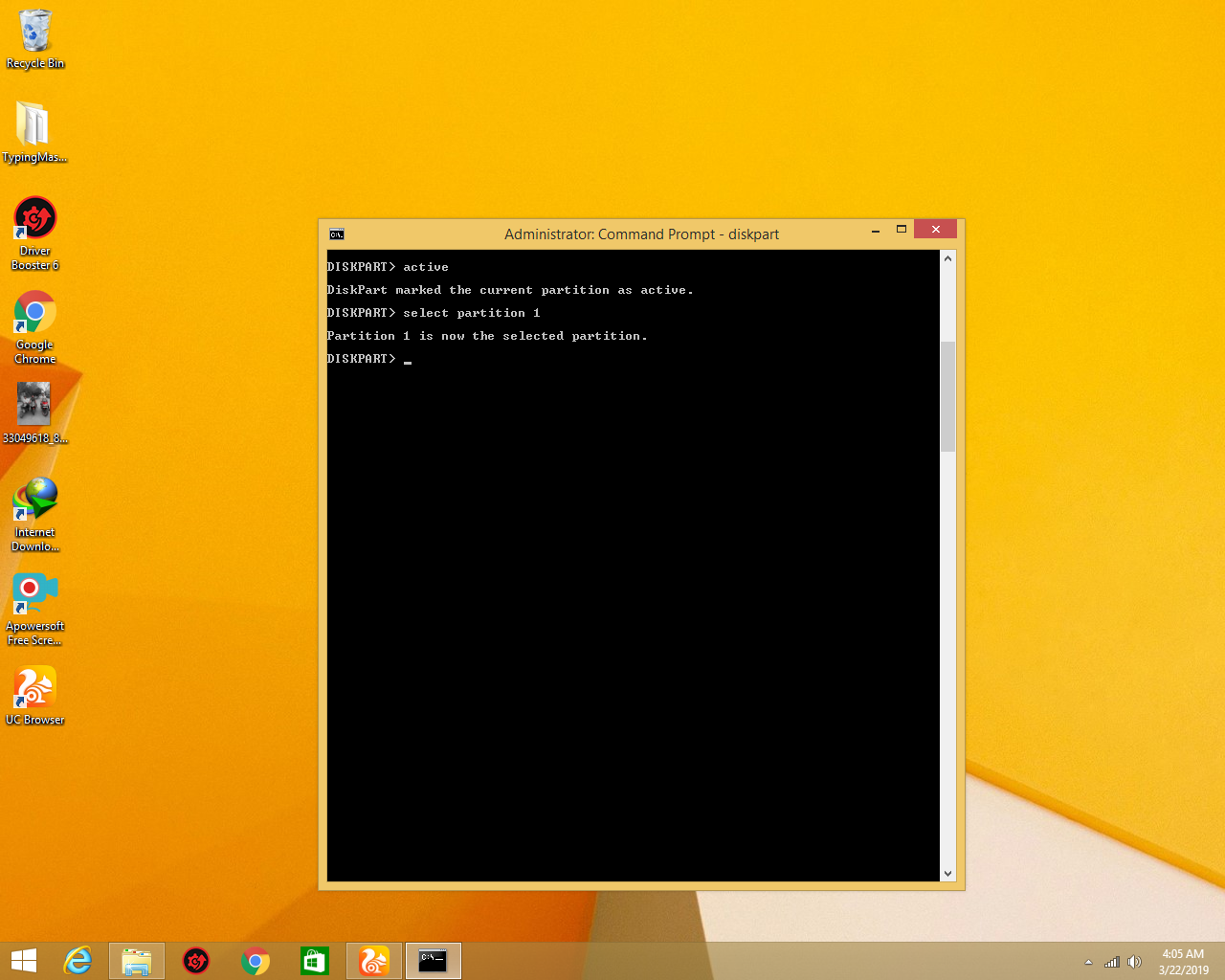
- type select partition 1 you will see this
- Nineth Step
- type format fs=ntfs you will see this

- Tenth step
- wait for 100% the process is complete exit cmd and see your pendrive is fix
 Arun Tech