Featured

How to download idm paid software for free

today we will learn you how to download paid idm software for free in pc

  • idm is paid software and is used to download file with very fast
  • so today we learn how to download paid software free
  • many software is paid to i will show you how to download paid software for free but my target is idm
  • so lets start
  • open any browser and type soft98,ir you will see this

click in soft98.ir

  • after open you will see this
  • your first step is install internet download manager
  • after install you open patch folder
  • you will see this
  • second step run IDM 6.3 run as administration
  • after open you will see this
  • you click crack and wait for a second
  • your idm is crack and you use idm for free

subscribe my youtube channel https://www.youtube.com/channel/UCTm2pfS0W92u2vKlr4tYReg?view_as=subscriber
Featured

how to show connect wifi password in pc 2019

first step

Open cmd and type netsh wlan show profile

Second step

you will see the connected wifi name in your pc

Third step

you will select the any connected wifi name

Fourth step

and type netsh wlan show profile “wifi name”

Fivth step

you will see your select wifi name information

Sixth step and last step

type netsh wlan show profile “wifi name” key = clear

and you will she your selected wifi information you scroll down and left

hand side you will she Key content and is right is your wifi password

Featured

How to solve corrupt pendrive using cmd

  • first step
  • connect corrupt pendrive in your pc
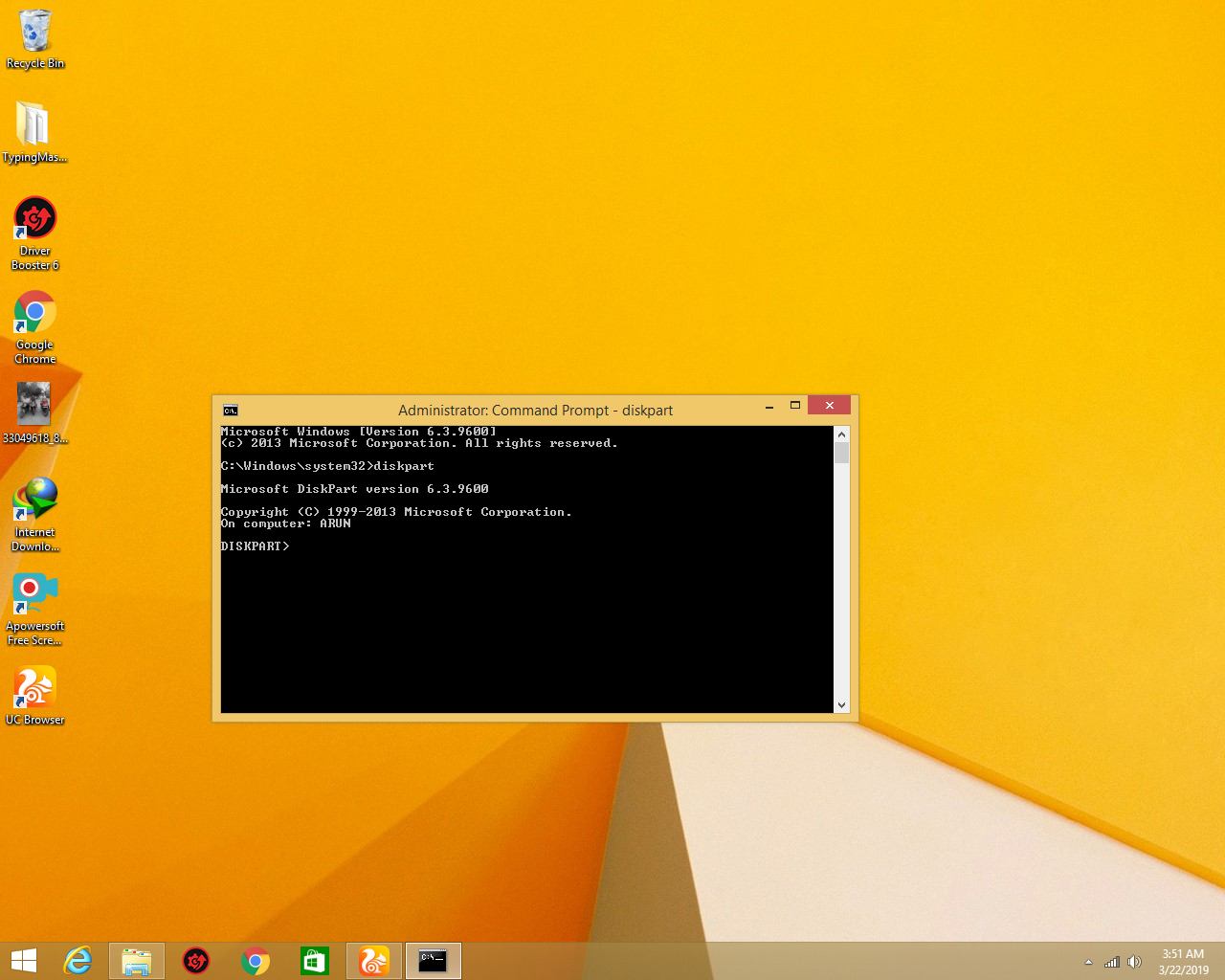
  • open cmd with run administration and type diskpart and you will see this
  • Second step
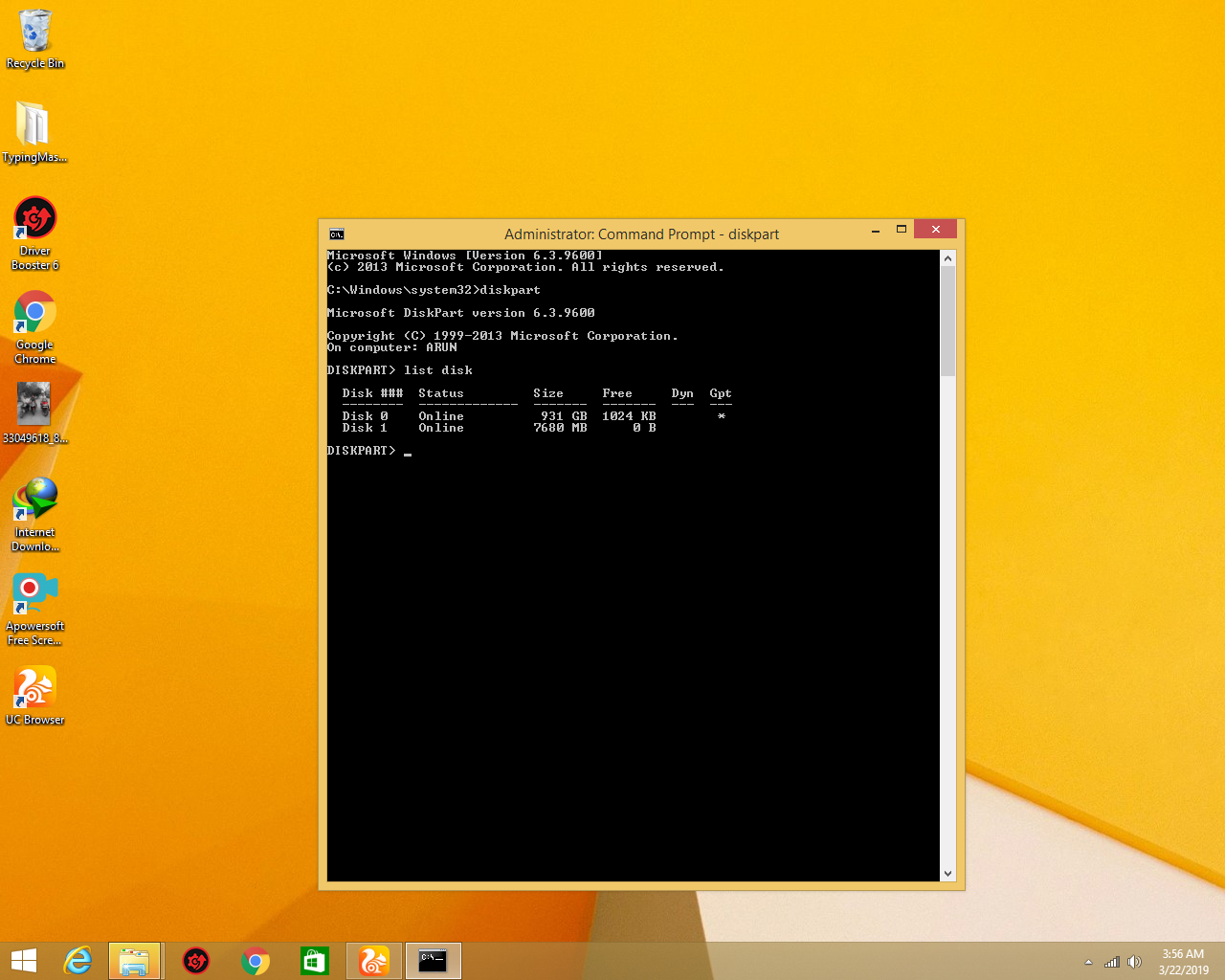
  • type list disk you will see this

  • Third step
  • select disk my disk is 1 so I selected disk 1
  • Fourth Step
  • type select disk 1 you will see this
  • Fivth step

type clean you will see this

  • Sixth Step
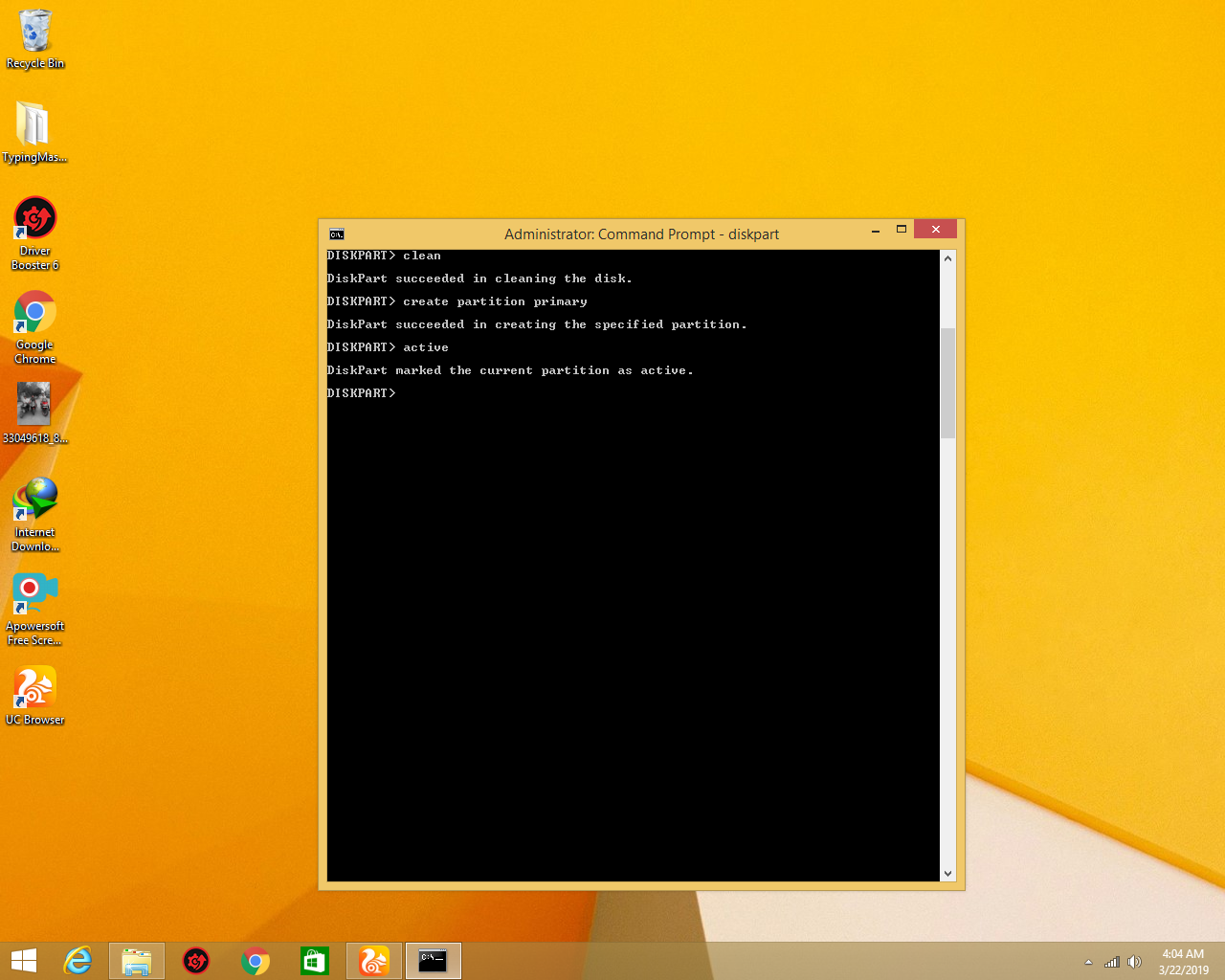
  • type create partition primary you will see this
  • seventh Step
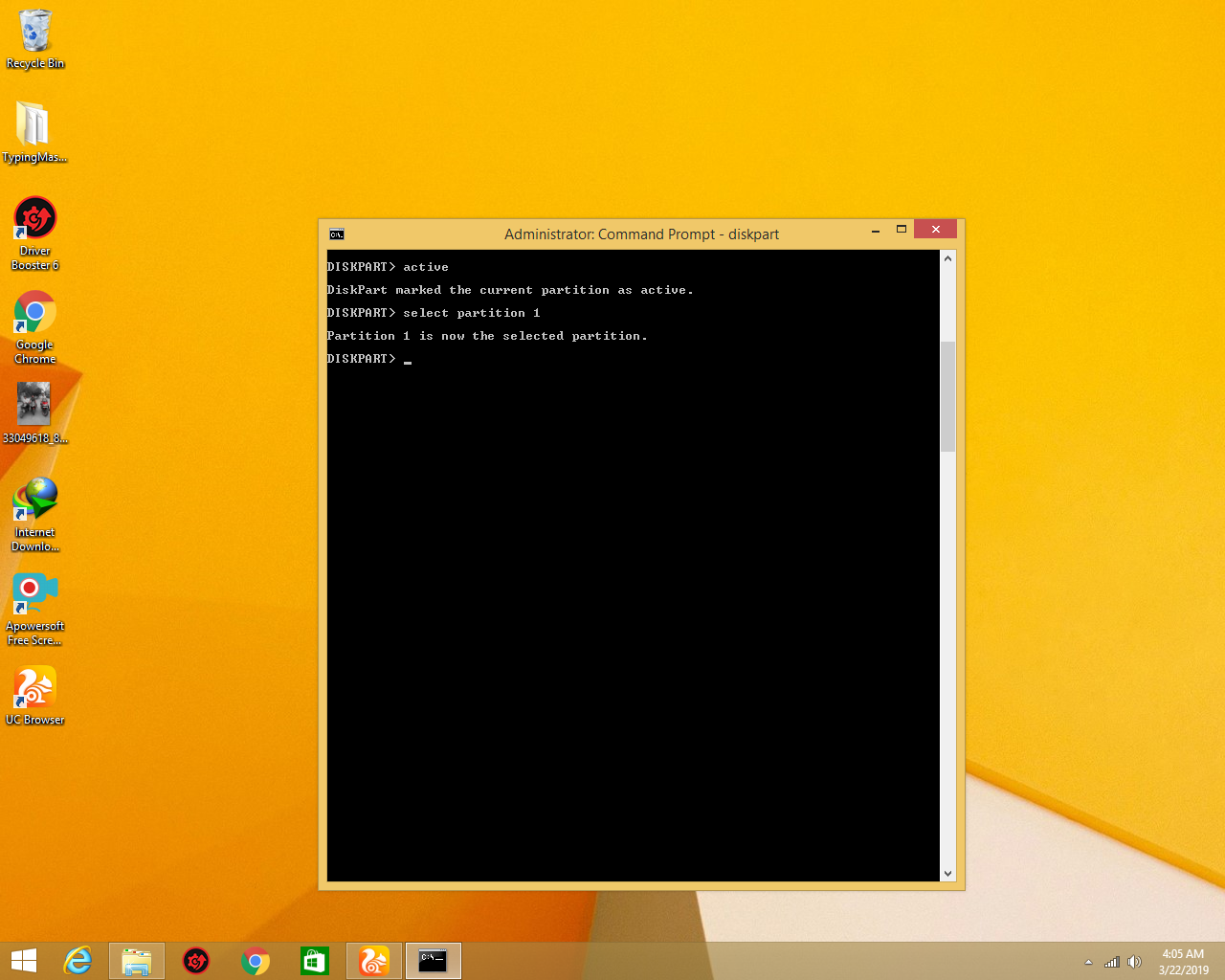
  • type active you will see this
  • Eight Step
  • type select partition 1 you will see this
  • Nineth Step
  • type format fs=ntfs you will see this
  • Tenth step
  • wait for 100% the process is complete exit cmd and see your pendrive is fix

how to show connect wifi password in pc 2019

first step

Open cmd and type netsh wlan show profile

Second step

you will see the connected wifi name in your pc

Third step

you will select the any connected wifi name

Fourth step

and type netsh wlan show profile “wifi name”

Fivth step

you will see your select wifi name information

Sixth step and last step

type netsh wlan show profile “wifi name” key = clear

and you will she your selected wifi information you scroll down and left

hand side you will she Key content and is right is your wifi password

Create your own website, free on WordPress.com.Create your own website.
Start free